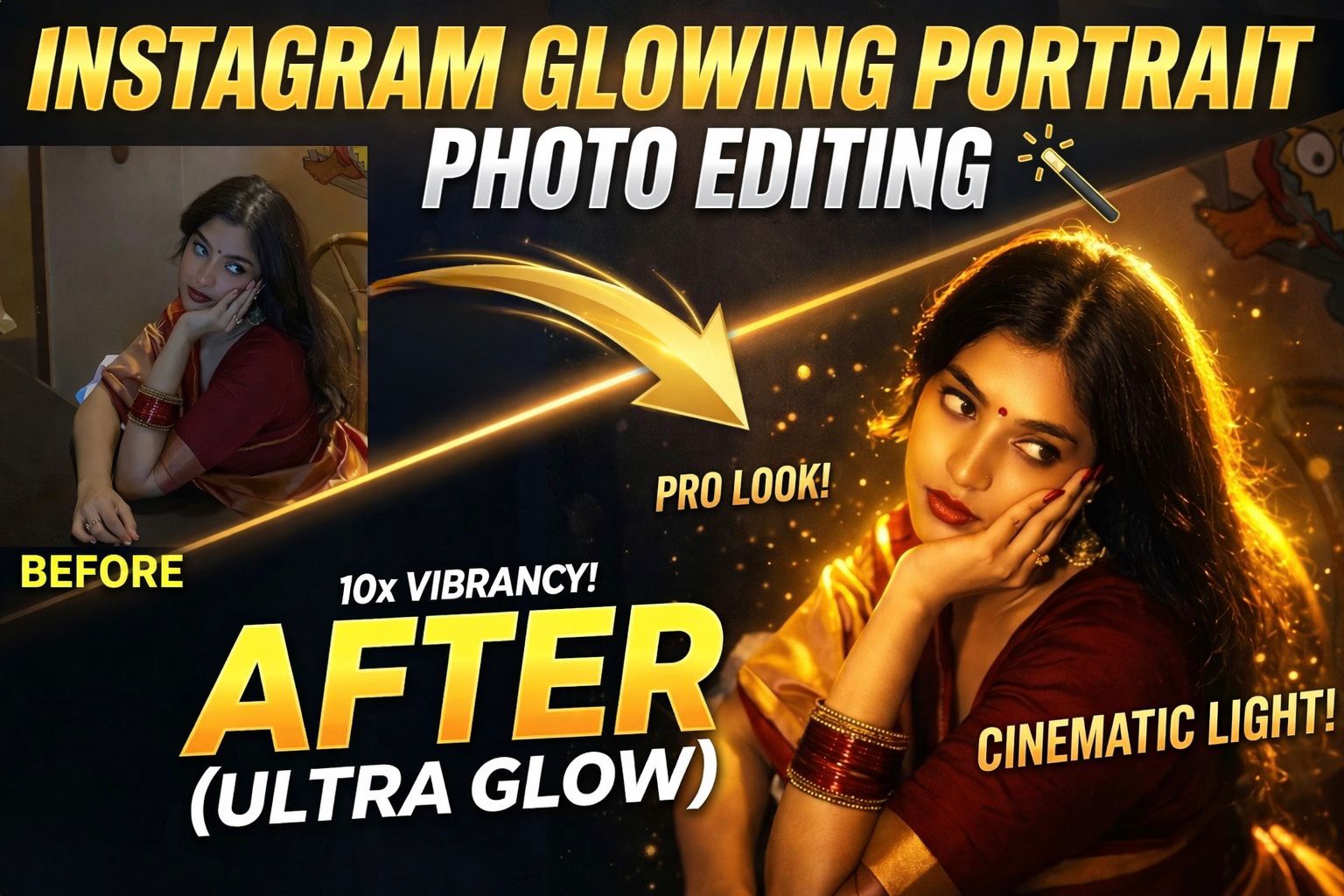
What is Glowing Portrait Photo Editing
Glowing portrait editing is a creative technique where light effects, neon tones, and soft highlights are added to a photo. The goal is to give your portrait a magical, futuristic, or cinematic vibe. It’s like turning a normal selfie into a scene from a movie, filled with glowing lights and dramatic colors.
Why Glowing Portraits Go Viral on Instagram
Have you ever noticed how glowing images get more likes and shares? That’s because they trigger curiosity and emotion. Bright highlights, colorful lighting, and smooth skin tones make the image visually appealing. Instagram’s algorithm also favors engaging content, so glowing portraits naturally perform better.
Apps You Can Use for Glow Editing
You don’t need expensive software to create glowing portraits. Apps like Adobe Lightroom Mobile, PicsArt, and Snapseed offer powerful tools. These apps allow you to adjust lighting, add glow effects, and enhance colors with just a few taps.
Choosing the Right Photo for Editing
Not every photo works well for glow effects. The best results come from images with good lighting and clear subjects. Night shots, low-light portraits, or photos with dark backgrounds are perfect. Why? Because glow effects stand out more when there’s contrast.
Adjusting Light and Exposure
The first step in editing is correcting the lighting. Increase exposure slightly, reduce highlights, and boost shadows. This creates a balanced base for your glow effect. Think of it like preparing a canvas before painting—everything starts with the right foundation.
Adding Glow and Neon Effects
This is where the magic happens. Use glow brushes, light leaks, or neon overlays to add brightness around your subject. Focus on edges like hair, shoulders, and background lights. Subtle glow creates elegance, while strong glow creates a dramatic effect.
Enhancing Colors for Aesthetic Look
Color grading plays a huge role in glowing portraits. Boost saturation, adjust temperature, and experiment with tones like blue, pink, or purple. These colors give your image that trendy Instagram aesthetic that feels modern and stylish.
Skin Retouch and Detail Enhancement
Smooth skin slightly but avoid over-editing. Keep natural textures intact while enhancing clarity in eyes and facial features. A glowing portrait should look magical but still realistic, like a perfect version of reality.
Final Touch and Export Settings
Once editing is done, fine-tune contrast, sharpness, and vignette. Export your image in high quality so it looks crisp on Instagram. A small adjustment at the end can make a huge difference in the final result.
Prompt : Apply a cinematic night-flash aesthetic while preserving every original detail. Do not alter the subject’s face, hair, identity, pose, framing, lens, or composition. Keep a dark nighttime environment with existing shadows and background intact. Use a strong warm front flash on the face and upper body so the subject is the brightest element. Add high contrast, subtle bloom, light haze, gentle peach skin glow, soft backlit hair strands, and slight foreground depth. Face, hair, pose, and composition must remain 100% identical.
How to Make Your Edit Go Viral
Posting your glowing portrait at the right time, using trending hashtags, and writing engaging captions can boost reach. Combine great editing with smart posting strategies, and your content has a higher chance of going viral.
Conclusion
Instagram glowing portrait photo editing is more than just a trend—it’s a creative way to express your style and stand out in a crowded feed. With the right tools, techniques, and a bit of imagination, you can turn any ordinary photo into a stunning masterpiece. So next time you edit a picture, don’t just enhance it—make it glow.